
OPSGLIDE SERVICE
Every issue.
The full picture.
Know what has already been tried. Connect customer cases, recurring problems and reviewed knowledge from the first report to an independently reviewed outcome.
A complete standalone product for customer issues, recurring problems and reviewed knowledge. Connect Field when a case needs a site visit.
CUSTOMER ISSUES. CONNECTED.
Bring the issue into focus.
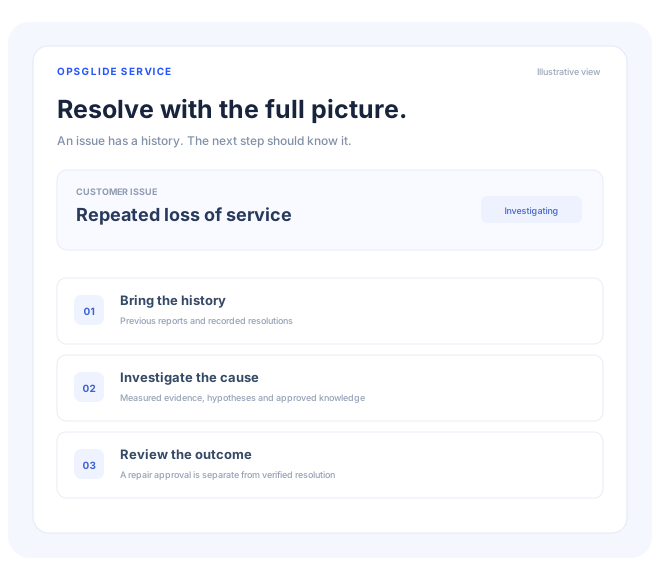
Customers describe symptoms. Your team needs the full story. Opsglide Service connects the report, previous resolutions, related cases and relevant knowledge so the next action starts with context.
Intake
A clear place to start.
Capture a customer issue, choose an owner and see its current stage. Configure email or a branded self-service portal when those channels are ready.
Investigation
Understand the repeat.
Link recurring cases into a shared problem. Keep suspected causes separate from confirmed findings, then review a proposed permanent repair.
Follow-through
Resolve with evidence.
Use response and resolution targets, recorded work and independent approvals. Customer closure and knowledge publication keep their own reviews.
THE SERVICE JOURNEY
Keep the next step in view.
Step 1
Capture the issue
Create a case or use a configured intake channel. Preserve the original report.
Step 2
Bring the history
Review related cases, recorded outcomes and approved knowledge. Ask AI for a source-grounded brief.
Step 3
Coordinate the next step
Keep work in Service, connect an existing ticketing system or hand off to Field.
Step 4
Review the outcome
Record the resolution, review closure and turn verified learning into a knowledge draft.
BUILT AROUND YOUR OPERATION
Start focused.
Stay connected.
Customer operations, service desks and technical support teams in telecom, utilities and service businesses.
Choose Service on its own or connect it with the rest of the Opsglide portfolio. Your workflow, permissions and configured integrations determine what is available to each team.
LET’S PUT IT TO WORK
See Service
in your operation.
Tell us about the work you want to improve. We’ll review your request and follow up to explore a relevant demo.